
On this page
- What Is Concurrency in Programming?
- A simple example of concurrency
- How Does Concurrency Work?
- Understanding concurrent execution
- Concurrency vs. Parallelism vs. Asynchronous Programming
- Is concurrency the same as parallelism?
- Is asynchronous programming a form of concurrency?
- Threads vs. processes
- Common Models of Concurrent Programming
- 1. Multithreading
- 2. Multiprocessing
- 3. Asynchronous programming
- Examples of Concurrency in Real Applications
- Web servers handling multiple requests
- Databases processing transactions
- User interfaces remaining responsive
- Distributed systems coordinating services
- Benefits and Limitations of Concurrency
- Benefits of concurrency
- Limitations of concurrency
- I/O-bound vs. CPU-bound workloads
- Common Concurrency Problems and How to Prevent Them
- 1. Race conditions
- 2. Deadlocks
- 3. Starvation
- 4. Thread-safety problems
- A practical concurrency checklist
- When Should You Use Concurrency?
- A practical decision table
- Frequently Asked Questions
- What is concurrency in computer science?
- Can concurrency work on a single CPU core?
- Does concurrency make a program faster?
- What is the difference between concurrency and multithreading?
- What causes a race condition?
- Is asynchronous programming the same as multithreading?
- What is the difference between concurrency and parallelism in operating systems?
- How is concurrency used in web development?
- Next Steps for Learning Concurrency
- Conclusion
Concurrency is a fundamental concept in software development that allows a program to manage multiple tasks whose execution overlaps in time. It helps applications handle user requests, perform background operations, and remain responsive while waiting for data. However, concurrency does not automatically make a program faster. Developers must choose suitable execution models and manage shared data carefully to avoid race conditions, deadlocks, and other problems.
In this guide, you’ll learn what concurrency means, how it works, how it differs from parallelism and asynchronous programming, and when developers should use it.
What Is Concurrency in Programming?
Concurrency is the ability of a computer program to manage multiple tasks during overlapping periods. Those tasks may take turns executing on a single processor core or run simultaneously on multiple cores, depending on the execution model and available resources.
For example, a web application might receive a new request while another request is waiting for a database response. Instead of leaving the entire application idle, the server may work on another request during that waiting period.
Concurrency is useful when software needs to coordinate several activities without requiring each activity to finish before the next one can make progress.
A simple example of concurrency
Imagine you’re preparing dinner. While water heats on the stove, you chop vegetables and prepare the ingredients for another dish. These activities overlap because you can make progress on one task while another is waiting.
A concurrent program follows a similar principle: it organizes multiple tasks so that one task’s waiting time doesn’t necessarily prevent other tasks from progressing.
This analogy explains the general idea, but computer programs also need to handle dependencies, resource limits, and shared data correctly.
How Does Concurrency Work?
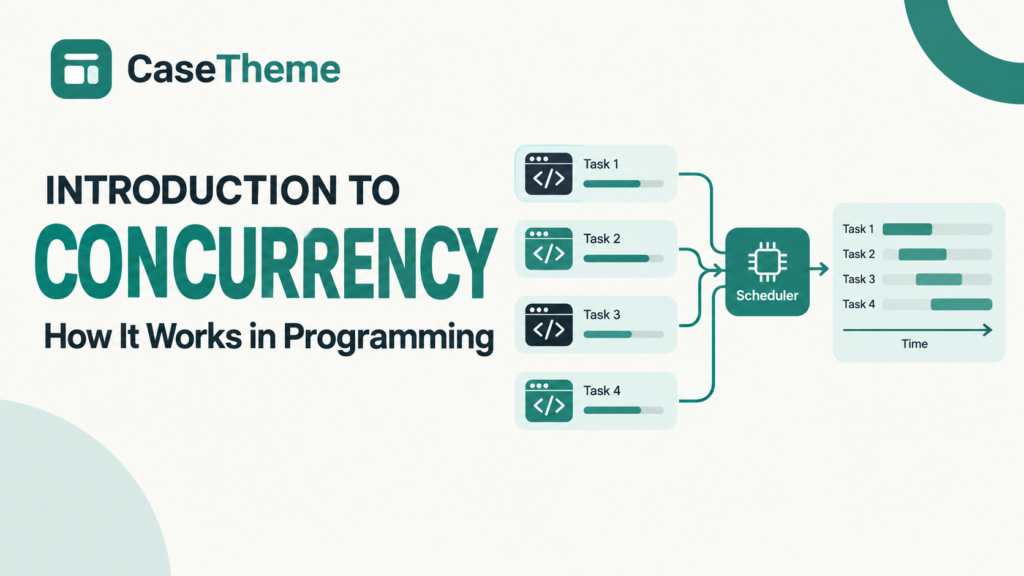
Concurrency works by organizing tasks so that multiple activities can make progress without requiring them to run continuously one after another. The operating system, runtime, or application scheduler determines when tasks execute, pause, resume, or wait for resources.
The exact behavior depends on the programming language, operating system, runtime, and concurrency model.
Understanding concurrent execution
Consider a program that needs to download a file, query a database, and process user input.
A simplified timeline might look like this:
ILLUSTRATIVE EXECUTION TIMELINE · NOT TO SCALE
Download
Request
Waiting
Receive data
Database
Query
Waiting
Return data
User interface
Handle input
Update screen
The program can make progress on other work while one operation waits. Actual scheduling and timing vary by system.
For example, a program may initiate a network request and then perform other work while the response is pending. When the response arrives, the program can resume the relevant task.
Concurrency can be implemented in different ways:
- Task switching: The scheduler pauses one task and lets another run.
- Multithreading: Multiple threads execute within a process, often sharing memory.
- Asynchronous execution: A task can suspend while awaiting an operation and resume when the result becomes available.
- Multiprocessing: Separate processes execute tasks, potentially in parallel on multiple processor cores.
These approaches are not interchangeable. Choosing between them depends on the workload and the application’s requirements. The OpenStax introduction to processes and concurrency provides additional background on operating-system scheduling, processes, and threads.
Concurrency vs. Parallelism vs. Asynchronous Programming
Concurrency, parallelism, and asynchronous programming are related concepts, but each describes a different aspect of program execution.
| Concept | What it means | Example |
|---|---|---|
| Concurrency | Multiple tasks can make progress during overlapping periods | A server manages several incoming requests |
| Parallelism | Multiple computations execute simultaneously | Two CPU cores calculate different parts of a result |
| Asynchronous programming | A programming model allows operations to suspend and resume without blocking the entire execution flow | An application awaits a network response while handling other work |
| Multithreading | A process uses multiple threads of execution | A desktop application handles background work separately from its interface |
Is concurrency the same as parallelism?
No. Concurrency is about coordinating multiple tasks that can make progress during overlapping periods; parallelism is about executing multiple computations simultaneously.
A single-core system can support concurrency by switching between tasks. A multicore system can execute tasks in parallel while also coordinating their overall progress. As the Go project’s explanation of concurrency versus parallelism emphasizes, the concepts are closely related but distinct.
Is asynchronous programming a form of concurrency?
Asynchronous programming is commonly used to implement concurrency, especially when tasks spend time waiting for network requests, file operations, or other input/output.
For example, an application can start an API request, continue processing another task, and handle the response when it becomes available. However, asynchronous programming does not automatically mean that two CPU-intensive operations run simultaneously. That depends on the runtime and execution architecture.
Threads vs. processes
A process is a running instance of a program with its own process resources and memory space. A thread is an execution path within a process. Threads within the same process generally share resources such as memory, although each thread has its own execution state.
This distinction matters because shared memory can make communication between threads convenient, but it also creates opportunities for race conditions. Separate processes typically offer greater isolation, although they can still coordinate and share data through explicit mechanisms.
For more detail, consult the Oracle Java concurrency tutorial. Its foundational material covers processes, threads, synchronization, deadlocks, and thread pools; the page also notes that its examples target JDK 8.
Common Models of Concurrent Programming
Developers use several models to organize concurrent work. A language may support more than one, and an application can combine different models where appropriate.
1. Multithreading
Multithreading allows a process to execute multiple threads. Threads can share in-process data and coordinate through synchronization mechanisms.
For example, a desktop application might use one thread to handle interface events and another to perform background work.
Best suited to: Tasks that benefit from separate execution paths, depending on the language runtime and workload.
Main consideration: Shared mutable data must be coordinated carefully.
2. Multiprocessing
Multiprocessing uses multiple processes to execute work. Processes usually have separate memory spaces, so exchanging data often requires communication mechanisms such as pipes, queues, sockets, or shared-memory facilities.
For computationally intensive tasks, multiple processes can sometimes use multiple CPU cores more effectively than threads, depending on the language and runtime.
Best suited to: Workloads that benefit from process isolation or parallel computation.
Main consideration: Process creation, communication, and memory management can add overhead.
3. Asynchronous programming
Asynchronous programming lets a task suspend while waiting for an operation and allows other work to proceed. Many asynchronous systems use an event loop to coordinate ready tasks and completion events.
A web application might use asynchronous I/O to manage many connections without dedicating a continuously blocked thread to each waiting operation.
Best suited to: Workloads with substantial waiting, such as network communication or other I/O operations.
Main consideration: The programming model can be harder to follow when asynchronous operations, exceptions, cancellation, and shared state interact.
Python’s official concurrent execution documentation describes thread-based, process-based, and asynchronous approaches, and explains that the appropriate choice depends on whether work is CPU-bound or I/O-bound.
Examples of Concurrency in Real Applications
Concurrency is common in operating systems, web applications, databases, and user interfaces. Its purpose is not always to make calculations finish faster; often, it helps the system remain responsive while managing several activities.
Web servers handling multiple requests
A web server may receive requests from many users within a short period. While one request waits for a database response, the server may process another request or continue other useful work.
The architecture determines how requests are scheduled, isolated, and processed. Thread pools, asynchronous I/O, worker processes, and other approaches can all be appropriate in different situations.
CASETheme’s guide to client-server architecture is a useful companion for understanding how clients, servers, and backend services communicate.
Databases processing transactions
Databases often need to handle overlapping transactions from multiple users or applications.
For example, two customers might attempt to purchase the final item in stock. The database must preserve the inventory rules even if both requests arrive close together.
Depending on the database and transaction design, mechanisms such as locks, isolation levels, and atomic operations help maintain correctness. Concurrency control can affect both performance and the consistency of results.
User interfaces remaining responsive
A user interface should remain responsive while an application loads files, fetches data, or performs background tasks.
If expensive work blocks the interface’s main execution thread, the application may stop responding to user input until the work finishes. Moving suitable tasks into background workers or using asynchronous operations can reduce this problem.
Distributed systems coordinating services
A distributed application may send requests to multiple services, process events from queues, and update different components while other operations continue.
Concurrency helps these activities overlap, but distributed systems introduce additional challenges, including network delays, retries, partial failures, and coordination between services.
For instance, an application might receive two payment-related events close together. It must coordinate the operations so that overlapping processing does not create an invalid business outcome.
Benefits and Limitations of Concurrency
Concurrency can improve responsiveness and resource utilization, but it also increases the number of possible execution orders that developers must consider.
Benefits of concurrency
- Improved responsiveness: Applications can continue handling user input while background tasks run or I/O operations wait.
- Better use of waiting time: A program may perform other work while waiting for a database, network, or file operation.
- Higher throughput: A system may complete more requests over a period by overlapping operations, provided its resources and architecture support it.
- Better workload coordination: Independent tasks can progress without unnecessary sequential waiting.
- Potential parallel performance: When an appropriate implementation runs computations simultaneously on multiple cores, concurrency can be part of a design that achieves parallel speedups.
Limitations of concurrency
- More complex execution: Tasks may interleave in different orders, making bugs difficult to reproduce.
- Synchronization overhead: Locks and other coordination mechanisms can consume resources or make tasks wait.
- Resource contention: Multiple tasks may compete for CPU time, memory, database connections, or other limited resources.
- Deadlocks and race conditions: Incorrect coordination can cause tasks to stop progressing or produce incorrect results.
- Debugging difficulty: A bug may appear only under certain timing conditions.
Concurrency is therefore a design decision, not an automatic performance upgrade. Developers should measure the actual bottleneck and select an approach that fits the workload.
I/O-bound vs. CPU-bound workloads
| Workload | Main bottleneck | Potentially suitable approach |
|---|---|---|
| I/O-bound | Waiting for network, files, databases, or other external operations | Asynchronous I/O or threads, depending on the environment |
| CPU-bound | Computation and processor capacity | Parallel processing, multiprocessing, or runtime-specific execution facilities |
| Mixed workload | Both computation and I/O | A combination of approaches where justified |
An I/O-bound program may benefit from overlapping waiting periods. A CPU-bound program generally needs actual parallel execution to reduce computation time across multiple cores, unless a different optimization removes the underlying work.
The correct choice depends on runtime behavior, task size, available cores, resource limits, and coordination costs.
Common Concurrency Problems and How to Prevent Them
Concurrent programs must coordinate tasks that can execute in different orders. The most important problems to understand are race conditions, deadlocks, starvation, and thread-safety issues.
1. Race conditions
A race condition occurs when a program’s result depends on the timing or ordering of operations that are not coordinated correctly.
Consider an inventory system with one item remaining. Two tasks read the same inventory value before either task updates it. Both tasks might conclude that the item is available and attempt to complete a purchase.
The exact outcome depends on the application’s implementation and its data-storage mechanisms. The underlying problem is that the operations are not protected by a suitable correctness guarantee.
How to prevent race conditions:
- Use appropriate synchronization when multiple threads modify shared data.
- Use atomic operations or thread-safe data structures when suitable.
- Use database transactions and appropriate constraints for shared persistent data.
- Avoid shared mutable state when a simpler design can eliminate it.
- Test concurrent behavior rather than assuming sequential correctness guarantees concurrent correctness.
2. Deadlocks
A deadlock occurs when two or more tasks become unable to proceed because each is waiting for a resource or event that cannot become available under the current execution state.
For example:
- Task A holds Lock 1 and waits for Lock 2.
- Task B holds Lock 2 and waits for Lock 1.
Neither task can acquire the lock it needs, so both remain blocked.
How to reduce deadlock risk:
- Acquire multiple locks in a consistent order.
- Keep critical sections short.
- Avoid holding locks while performing unpredictable external operations.
- Use timeouts or other recovery mechanisms where appropriate.
- Review how locks interact across different functions and services.
Timeouts can help a program recover from some waiting situations, but they do not automatically resolve every deadlock or guarantee data consistency.
3. Starvation
Starvation occurs when a task repeatedly fails to obtain the resources or execution time it needs because other tasks are favored.
For example, a low-priority background job may struggle to make progress when higher-priority work continually consumes available resources.
Possible safeguards include fair scheduling policies, appropriate priorities, bounded resource allocation, and monitoring whether tasks make progress.
4. Thread-safety problems
A component is thread-safe when it behaves correctly under the concurrent access patterns it claims to support.
A function that works correctly when called by one thread may fail when several threads access the same mutable state without proper coordination.
Thread safety can be improved through synchronization, immutable data, thread-local state, ownership rules, or concurrency-safe collections. The right choice depends on the programming language and the component’s design.
A practical concurrency checklist
Before introducing concurrency, ask:
- Can the tasks run independently?
- Do they share mutable data?
- What happens if their operations execute in a different order?
- Can a task wait indefinitely for a resource?
- Is synchronization necessary, and what does it cost?
- Can the behavior be tested under concurrent load?
- Are errors, timeouts, cancellation, and retries handled correctly?
For applications handling overlapping web requests, also consider resource capacity and workload growth. CASETheme’s guide to website scalability provides related context for thinking about system capacity as traffic increases.
When Should You Use Concurrency?
Use concurrency when it helps the application coordinate independent work, overlap waiting periods, or meet responsiveness requirements. Avoid adding it simply because it sounds faster or more sophisticated.
A useful decision process is:
- Identify the bottleneck. Determine whether the application is waiting on I/O, limited by CPU computation, or constrained by another resource.
- Check task dependencies. If one task requires another task’s result before it can proceed, identify which portions can safely overlap.
- Choose a suitable execution model. Consider asynchronous I/O, threads, processes, or a combination that fits the runtime.
- Define shared-state rules. Determine how shared resources will be protected and how conflicting operations will be handled.
- Measure the result. Compare throughput, response time, resource use, and error behavior against a suitable baseline.
A practical decision table
| Situation | Approach to consider | Why |
|---|---|---|
| Many network requests spend time waiting | Asynchronous I/O or a thread pool | Can overlap waiting periods |
| A desktop interface must stay responsive | Background tasks or asynchronous operations | Keeps suitable work away from the main interface thread |
| A large calculation can be divided into independent parts | Parallel execution or multiprocessing | May use multiple cores |
| Several operations update shared data | Synchronization, atomic operations, or transactions | Preserves correctness |
| The workload is small and sequential | Ordinary sequential execution | Avoids unnecessary complexity and coordination costs |
This is a starting point rather than a universal prescription. For example, Python’s threading and multiprocessing trade-offs differ from those of JavaScript or Java. Profile the actual application and consult the relevant runtime documentation before selecting an implementation.
Frequently Asked Questions
What is concurrency in computer science?
Concurrency is the management of multiple tasks whose execution overlaps in time. A system can switch between tasks on a single processor core or execute tasks simultaneously on multiple cores. It is widely used in operating systems, servers, databases, and interactive applications.
Can concurrency work on a single CPU core?
Yes. A single core can support concurrency by switching between tasks, allowing each to make progress over time. This does not mean that the core executes multiple instructions simultaneously. Parallel execution of independent computations requires suitable hardware and software support for simultaneous execution.
Does concurrency make a program faster?
Not necessarily. Concurrency can improve responsiveness and throughput when tasks can overlap, particularly during I/O waits. However, scheduling, synchronization, contention, and communication can introduce overhead. Performance depends on the workload, runtime, hardware, and implementation.
What is the difference between concurrency and multithreading?
Concurrency is the broader concept of managing multiple tasks whose execution overlaps. Multithreading is one approach in which a process uses multiple threads. Concurrent systems can also use asynchronous tasks, multiple processes, or other execution models.
What causes a race condition?
A race condition can occur when operations access shared state without sufficient coordination and the result depends on their execution order. Synchronization, atomic operations, appropriate transactions, or eliminating shared mutable state can help prevent these problems.
Is asynchronous programming the same as multithreading?
No. Asynchronous programming allows operations to suspend and resume without necessarily blocking the entire execution flow. It can use an event loop and a single thread, while multithreading uses multiple threads. Some systems combine asynchronous programming with thread pools or other execution mechanisms.
What is the difference between concurrency and parallelism in operating systems?
Concurrency allows multiple processes or tasks to make progress during overlapping periods, including through scheduling on a single core. Parallelism means multiple computations execute simultaneously, such as on separate processor cores. Modern operating systems may support both.
How is concurrency used in web development?
Web applications use concurrency to manage overlapping requests, background jobs, database operations, and network communication. Suitable execution models can help improve responsiveness and throughput, while synchronization, transactions, and resource limits help preserve correctness.
Next Steps for Learning Concurrency
Once you understand the fundamentals, focus on one execution model at a time. Start with threads and processes, then explore asynchronous programming and synchronization in your preferred language.
For a practical learning path, consider these topics:
- Concurrency versus parallelism.
- Threads versus processes.
- Race conditions and deadlocks.
- Thread safety and synchronization.
- Asynchronous programming in Python or JavaScript.
- Concurrency in Java and thread pools.
- How web servers manage concurrent requests.
For API-related work, CASETheme’s guide to idempotency is also relevant: idempotency and concurrency are different concepts, but both can matter when applications process repeated or overlapping requests.
Conclusion
Concurrency allows software to manage multiple tasks whose execution overlaps, making it useful for responsive interfaces, web servers, databases, and other systems that coordinate several activities. It can improve resource utilization and throughput, but it also introduces challenges involving shared state, synchronization, and execution order.
The key is to choose the right approach for the workload, protect shared resources where necessary, and verify that the resulting program remains correct under concurrent execution.
Learning concurrency provides a foundation for understanding modern software architecture, asynchronous programming, and reliable systems.